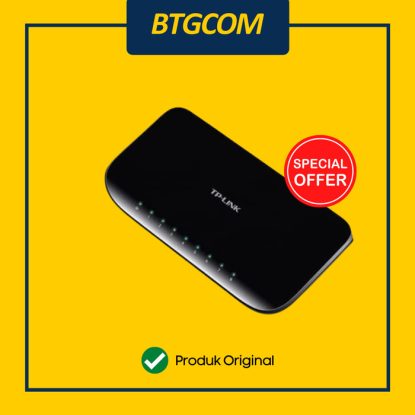
TP-Link TL-SG1008D 8 Port Gigabit Desktop Switch
$57.11
$69.11
What This Product Does The TP-Link 8-Port Gigabit desktop switch TL-SG1008D provides you an easy way to make the transition to Gigabit Ethernet. Increase the speed of your network server and backbone connections, or make Gigabit to the desktop a reality. Moreover, TL-SG1008D adopts lower power consumption design. With the innovative energy-efficient technology, the TL-SG1008D can save up to 80%* of the power consumption, making it an eco-friendly solution for your home or office network. Gigabit Switch Featured with 8 10/100/1000Mbps ports, TL-SG1008D greatly expands your network capacity, enabling instant large files transferring. So,power users in the home, office, workgroup, or creative production environment can now move large, bandwidth-intensive files faster. Transfer graphics, CGI, CAD, or multimedia files across the network instantly. Go Green With Your Ethernet You now have the choice to go green when upgrading to a gigabit network! This new generation TL-SG1008D 8-Port Gigabit Desktop Switch features the latest innovative energy-efficient technologies that can greatly expand your network capacity with much less power. It automatically adjusts power consumption according to the link status and cable length to limit the carbon footprint of your network. Product Specifications Hardware Features Standards and Protocols : IEEE 802.3i/802.3u/ 802.3ab/802.3x Interface : 8 10/100/1000Mbps RJ45 Ports AUTO Negotiation/AUTO MDI/MDIX Fan Quantity : Fanless Power Consumption : Maximum: 4.63W (220V/50Hz) External Power Supply : External Power Adapter (Output: 5VDC / 0.6A) Jumbo Frame : 15 KB Switching Capacity : 16 Gbps Dimensions ( W x D x H ) : 7.1 * 3.5 * 1.0 in. (180 * 90 * 25.5 mm) Software Features Transfer Method : Store and Forward MAC Address Table : 4K Advanced Functions : Green Technology, saving power up to 80% 802.3X Flow Control, Back Pressure OTHERS Certification : FCC, CE, RoHs Package Contents : 8-Port Gigabit Desktop Switch TL-SG1008D, Power Adapter, Installation Guide
Ubiquiti